- Requirements
- Requires XML attachment support:
using Server.Engines.XmlSpawner2;
PublicDoorExt
Public Door, Return Teleporter, and Destination Routing System
Overview
PublicDoorExt is a flexible public door and return teleporter system for RunUO- and ServUO-style shards.It allows staff to create public entrances, exits, basement doors, dungeon returns, invisible teleport pads, and grouped destination routes using in-game tools.
The system is especially useful anywhere players need to enter from one location and return cleanly to where they originally came from.
Common uses include:
- Public buildings
- Shared interiors
- City services
- Taverns and inns
- Banks and ports
- Dungeon entrances and exits
- Event areas
- Quest locations
- Public basements
Features
- Visible public door item
- Invisible walk-over teleporter
- In-game administration gump
- In-game help gump
- Per-player return tracking
- Multiple independent DoorGroups
- Automatic entrance and exit behavior
- Dedicated Entrance mode
- Dedicated Exit mode
- AutoReturnExit mode
- Per-door destination coordinates
- Per-door fallback coordinates
- Manual coordinate editing
- Set Destination To Me shortcut
- Set Fallback To Me shortcut
- Door art morphing options
- Basement-style door art options
- Easy in-game placement and setup
Commands
Use either command to open the administration interface:[PublicDoorExt
[PDE
Configuration
DoorGroup
DoorGroup identifies a route.Doors and teleporters that belong to the same entrance and return system should use the same DoorGroup. Separate routes should use different group names.
Each player can have multiple saved return locations under different DoorGroups, allowing unrelated routes to operate without overwriting one another.
Examples:
- Tavern
- Basement
- Port
- CityHall
- DungeonNorth
ZoneName
ZoneName is a friendly label used to help staff identify the door or route.It is used for organization and context only. It does not control whether the door works.
Destination
The destination is where the player is sent when the item acts as an entrance.Coordinates may be entered manually or set using:
Set Destination To Me
Fallback
Fallback is the safe location used when a valid saved return point cannot be found.Each door or teleporter can have its own fallback location.
Coordinates may be entered manually or set using:
Set Fallback To Me
Door Modes
Auto
Auto mode chooses the appropriate behavior for the player.- If no saved return exists for the DoorGroup, the item acts as an entrance.
- If a saved return already exists, the item acts as an exit.
Entrance
Entrance mode saves the player’s current location for the configured DoorGroup and then sends them to the destination.Recommended for:
- Building entrances
- Dungeon entrances
- Public interiors
- Basements
- Event areas
- Quest locations
Exit
Exit mode sends the player back to their saved return location for the configured DoorGroup.If no saved return exists, the item uses its fallback location.
AutoReturnExit
AutoReturnExit sends the player to the most recent PublicDoorExt return point they created, regardless of DoorGroup.This is useful when multiple entrances lead into one shared interior and a single exit should return each player to wherever they entered from.
If no return point exists, the item uses its fallback location.
Invisible Teleporter
The included invisible walk-over version is:PublicDoorExtTeleporter
It supports the same destination, fallback, DoorGroup, and return-tracking features as the visible door.
Suggested uses include:
- Hidden room exits
- Walk-over teleport pads
- Dungeon transitions
- Event paths
- Quest routes
- Invisible stairways
- Seamless interior transitions
Example Uses
Shared Interior
Several exterior doors can lead into one shared interior.Each entrance saves the player’s individual return location. A shared exit using AutoReturnExit can then send every player back to the correct exterior entrance.
Public Building
A door placed outside a bank, tavern, city hall, or inn can save the player’s exterior location before sending them to the interior.The exit then returns that player to the same location.
Dungeon Return
A dungeon entrance can save the player’s surface location before sending them underground.An exit door or invisible teleporter can return them to that saved location, with a configured fallback available if no return was stored.
Administration
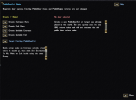
The administration gump includes:- Door and teleporter creation tools
- Existing item selection
- Destination and fallback editing
- Set-to-current-location shortcuts
- Door mode selection
- DoorGroup configuration
- ZoneName configuration
- Door art morphing
- Basement-style art options
- Integrated help page
Included Classes
- PublicDoorExtMode
- XmlPublicDoorExtReturn
- PublicDoorExt
- PublicDoorExtTeleporter
- PublicDoorExtAdminGump
- PublicDoorExtHelpGump
Requirements
PublicDoorExt was built for a RunUO- or ServUO-style shard with XMLSpawner2 XML attachments available.The XML attachment stores multiple return locations per player, separated by DoorGroup.
Installation
Place the included script files into an appropriate folder inside your shard’s Scripts directory.Restart the shard or recompile the scripts.
After installation, use:
[PublicDoorExt
or:
[PDE
to open the administration gump and begin creating routes.
Final Notes
PublicDoorExt is intended to provide an easy and flexible solution for public entrances, shared interiors, grouped return routes, dungeon exits, basement doors, and invisible transitions.It allows staff to build reusable entrance and return systems without creating a separate custom teleporter script for every location.
Create public entrances, shared interiors, grouped return routes, and invisible transitions directly in-game.